You can embed content from your Navigatr profile directly into your website. This includes badges you have earned, activities you are attending or have attended, and pathways you have completed or started.
Steps to embed content
- Open Navigatr and log in.
- Go to your profile and select Badges, Activities, or Pathways.
- Choose the piece of content you would like to embed.
- Click the Share button at the top right-hand side of the screen.
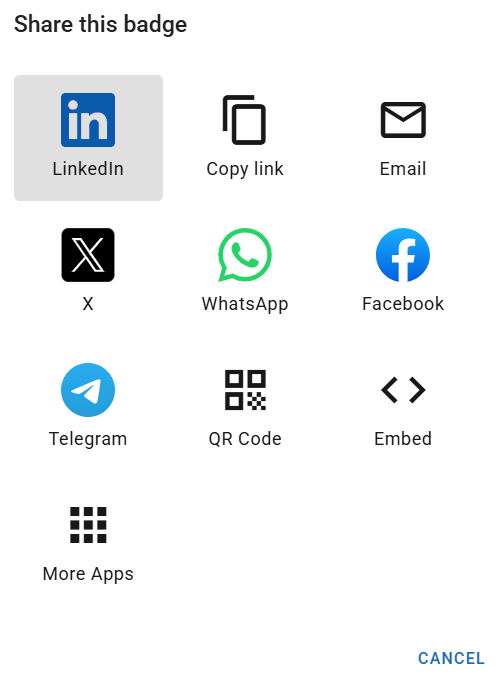
- Choose Embed from the share menu and toggle the elements you would like to display. The options available are:
- Name, Image, Description, and Tags (all content types)
- Earn Badge (badges only)
- Awarded Badge (activities only)
- Badge Steps (pathways only)
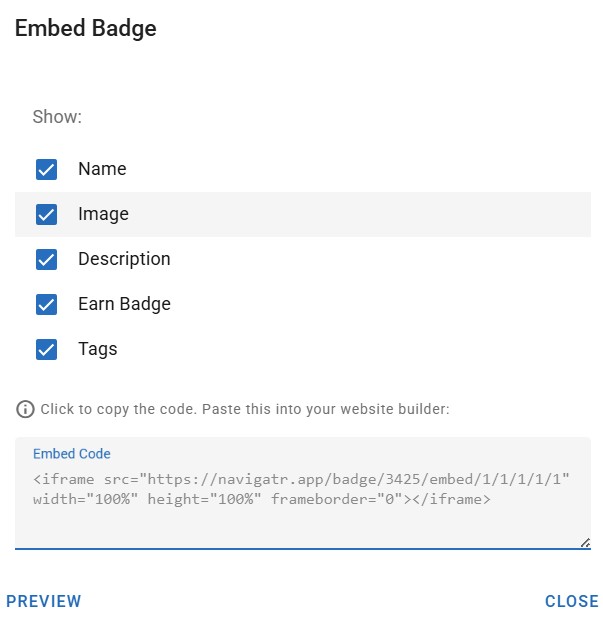
- Click Preview in the bottom left of the pop-up to see how your embedded content will look on your website.
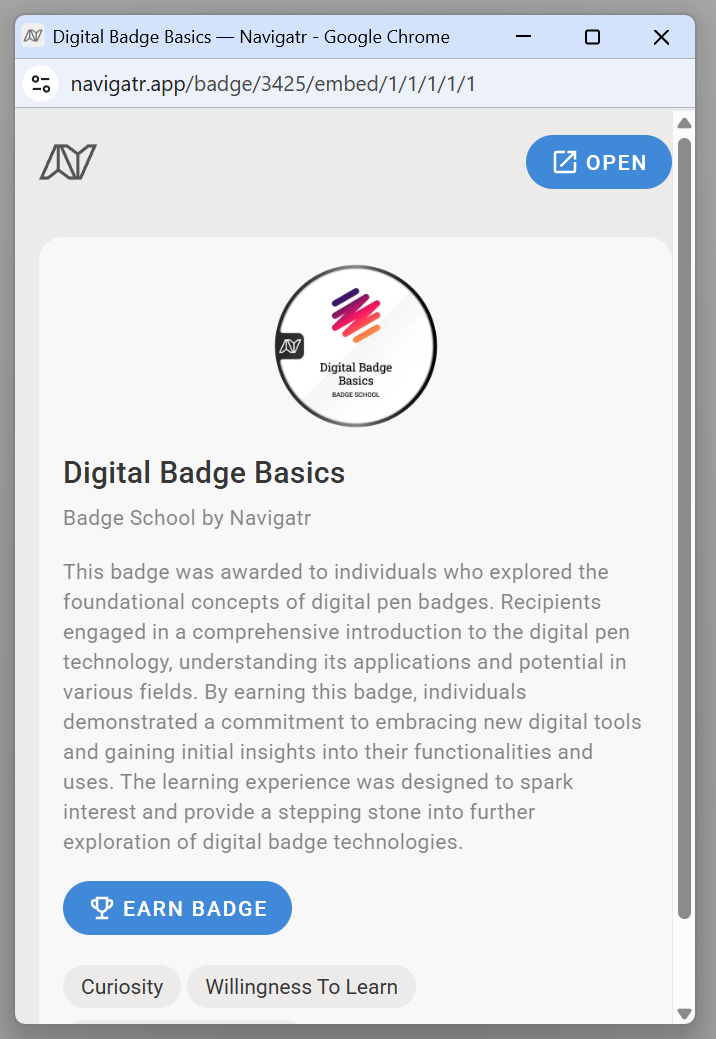
- Copy the code snippet and paste it into your website’s HTML. If you are not comfortable editing HTML, send the snippet to someone on your team who can help.
Related articles
- How to Share your Navigatr Badges and Pathways
- How to Share Badges on LinkedIn
- How to Add Badges to Your Email Signature
- Integrations on Navigatr
If you need help with embedding content, contact us at support@navigatr.app.
Was this article helpful?
That’s Great!
Thank you for your feedback
Sorry! We couldn't be helpful
Thank you for your feedback
Feedback sent
We appreciate your effort and will try to fix the article